How do I split a photo for Instagram?
Add the photo here, choose the number of rows, then download the tiles and post them from the highest number down to 1.
Split one wide photo into posts that line up on your Instagram profile. Pick the rows, see the grid, then download the tiles in order.
or drop an image here
Up to 50 MB
1080 by 1440 pixels, the 3:4 shape Instagram profiles show.
Your photo is cut in this tab and never uploaded.
Add a photo to see it split across your profile.
Tiles are cut at 1080 by 1440 pixels for the 3:4 grid, the size Instagram now shows on profiles.
The photo never leaves your device: it is cut in this tab, and nothing is uploaded or stored.
Turn one image into a seamless profile grid in three steps.
Drop in a JPG, PNG or WebP. A wide, detailed photo works best, as each tile will show only one part of the picture.
Pick one to four rows of three. The preview shows your profile as it will look, so you can check faces and text.
Download the tiles and post the highest number first. Instagram adds each new post at the top left of your grid.
Your Instagram profile shows posts three across. Since 2025 those thumbnails are 3:4 rectangles, not squares, so a split photo needs tiles 1080 pixels wide and 1440 tall to line up without gaps. This grid maker cuts them to that size by default.
Instagram puts the newest post at the top left. To build the picture, post the last tile first and finish with tile 1, which lands top left. Each tile is numbered so the order is never a guess, and the bottom row goes out before the top.
A grid only stays whole while you post nothing else. Every new post shifts all tiles one place along, so many accounts post grids in rows of three: a row moves down as one piece and the picture still reads.
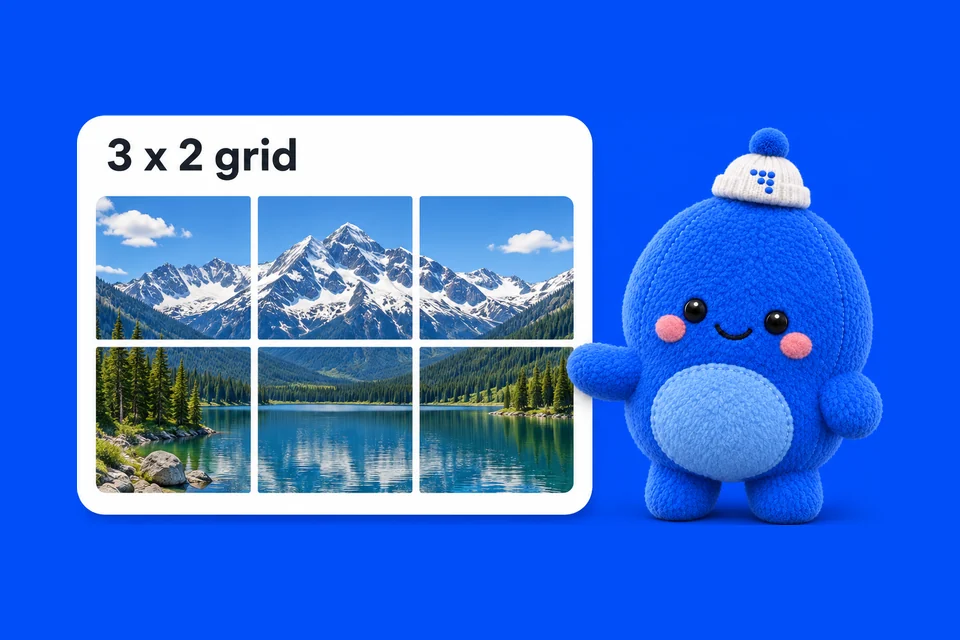
Split into one to four rows of three: a banner, a block of six, the classic nine, or twelve.
See the tiles laid out as your profile shows them, with the gaps, before you download a single one.
Tiles are 1080 by 1440 pixels for today's profile grid, or 1080 square if you prefer the old look.
Every tile is named with its order, so you post the highest number first and the picture fits.
Save tiles one at a time, or all at once in a ZIP file, ready to add to Instagram or a scheduler.
The photo is cut on your device with no upload, so private or unreleased images stay private.
Splitting happens in your browser, so the image is not sent or saved anywhere.
Your photo is cut into tiles by your browser's own canvas. It never goes to Skimbly or anyone else.
Nothing is kept once you leave: no copy of the photo or the tiles is stored, even in this browser.
No Instagram login and no sign-up. Split as many photos into grids as you like, at no cost at all.
Add the photo here, choose the number of rows, then download the tiles and post them from the highest number down to 1.
Profile thumbnails are 3:4, so 1080 by 1440 pixels fills a tile. Square posts still work but show cropped at the sides.
Last tile first. Instagram places each new post top left, so tile 1 must be the final one you share.
Usually a post in between, or square tiles on the 3:4 grid. Post the tiles back to back and use the 3:4 size.
Yes. Make the tiles here, then add them to Skimbly as posts and schedule them one after another in the right order.
No. The tiles are made in your browser and downloaded straight to your device. The photo is never sent anywhere.
Pick three rows, add your photo and download the nine numbered tiles. Post them in that order so they line up on your profile.
Not as one post. Each tile is its own post, so schedule them a few minutes apart in order and the grid appears together.
Still have a question? Email hello@skimbly.com and you will hear back from the founder.
Add the tiles to Skimbly as Instagram posts and schedule them back to back, so the picture builds itself on your profile.
Try every feature free for 7 days.