How many hashtags on Instagram?
Five per post or reel. Instagram cut the limit from thirty in December 2025, so pick the five that describe the post best.
Type a topic, pick the network, and get hashtags in three groups, from broad to niche, with a ready pick sized for that network.
Free, no sign-up. 15 AI requests a day.
Three groups of hashtags show here, with a pick sized for the network.
A starting mix is picked for you, at the number of tags the network rewards. Tap any tag to change it.
Free with no sign-up, up to 15 AI requests a day per visitor.
From a topic to a short list of tags in three steps.
Be specific: sourdough bread at home brings better tags than food. A product, a place or a hobby all work well.
Pick Instagram, LinkedIn, X, Threads, Bluesky or Pinterest, then press Find hashtags to get three groups of ten.
A mix is picked for you. Tap tags to add or drop them, then press Copy picked and paste them at the end of the post.
Instagram allows five hashtags on a post or reel since December 2025, down from thirty. Threads takes one topic tag, which files the post under a topic. On X, one or two tags is the norm; more reads as spam.
On LinkedIn, three to five tags help a post reach people who follow those topics. Bluesky feeds often follow tags, so a few precise ones help there. On Pinterest, the words in the title and description matter more than tags.
A mix works better than size alone. A broad tag like travel is buried within minutes, while a niche one like slowtraveljapan reaches fewer people who care more. Search a tag on the network before you use it.
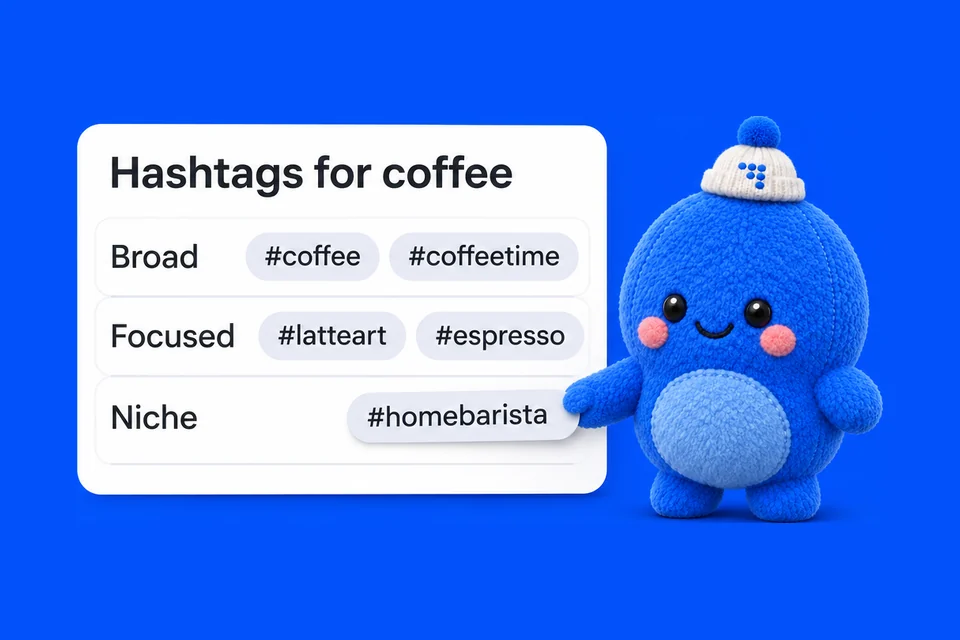
Broad tags with big audiences, focused tags for your subject and niche tags for small communities.
Tags are chosen for the network you pick: Instagram, LinkedIn, X, Threads, Bluesky or Pinterest.
A first mix is picked at the count each network rewards: five on Instagram, one on Threads.
Every tag is a button. Tap to add it to your pick, tap again to drop it, and copy what is left.
Copy just your pick, or a whole group at once, with a space between tags ready to paste into a post.
The tags are AI suggestions, not live data, so search each one on the network before you post.
Finding hashtags needs AI, so the topic you type is sent to get them.
Your topic goes to Skimbly's server and on to Groq, the AI that suggests the tags, and nothing else.
No topic or hashtag list is saved by Skimbly. Leave the page and the results are gone for good.
Use it without signing up. A daily scrambled IP counts your requests, and nothing more is kept.
Five per post or reel. Instagram cut the limit from thirty in December 2025, so pick the five that describe the post best.
A little: people can follow a tag, and LinkedIn uses tags to sort posts by topic. Three to five relevant ones are plenty.
One topic tag per post. It files the post under that topic, so choose the tag your readers would search for.
The ones people interested in your post follow or search. A mix of one broad, two focused and two niche tags is a good start.
Yes, with no account. Each visitor can run 15 AI requests a day across every AI tool on this site.
No, they are AI ideas. Search each tag on the network first, to be sure it is active and not used for something else.
Search a tag on the network and look at its recent posts. If they are fresh and on your topic, the tag is worth using.
Yes. Add them at the end of the caption, not in a comment, so they are part of the post from the moment it goes live.
Still have a question? Email hello@skimbly.com and you will hear back from the founder.
Skimbly's composer suggests hashtags with AI and posts to every network you pick at the time you choose.
Try every feature free for 7 days.